Traqprep
Calorie and workout tracking on your phone.
No account. No server. Your data stays on your phone.
Coming to Google Play
Android only for now.
What Traqprep is
Traqprep is a food and workout tracker for Android. It logs meals, water, weight and workouts. From your goal and the last seven days of food and activity, it works out a calorie budget.
Your data is kept in a database on your phone. Traqprep has no account, no sign-in and no server. The developer does not receive what you log.
Food search and barcode scanning use a food catalog that comes with the app, so they work offline.
The assistant, voice input, chat images and the AI food scan are optional. Voice input, chat images and the AI food scan are Pro. All four need an API key that you add yourself. On-device models are an optional download, and they need no key. Without a key, the whole app works.
Today: one screen for the day
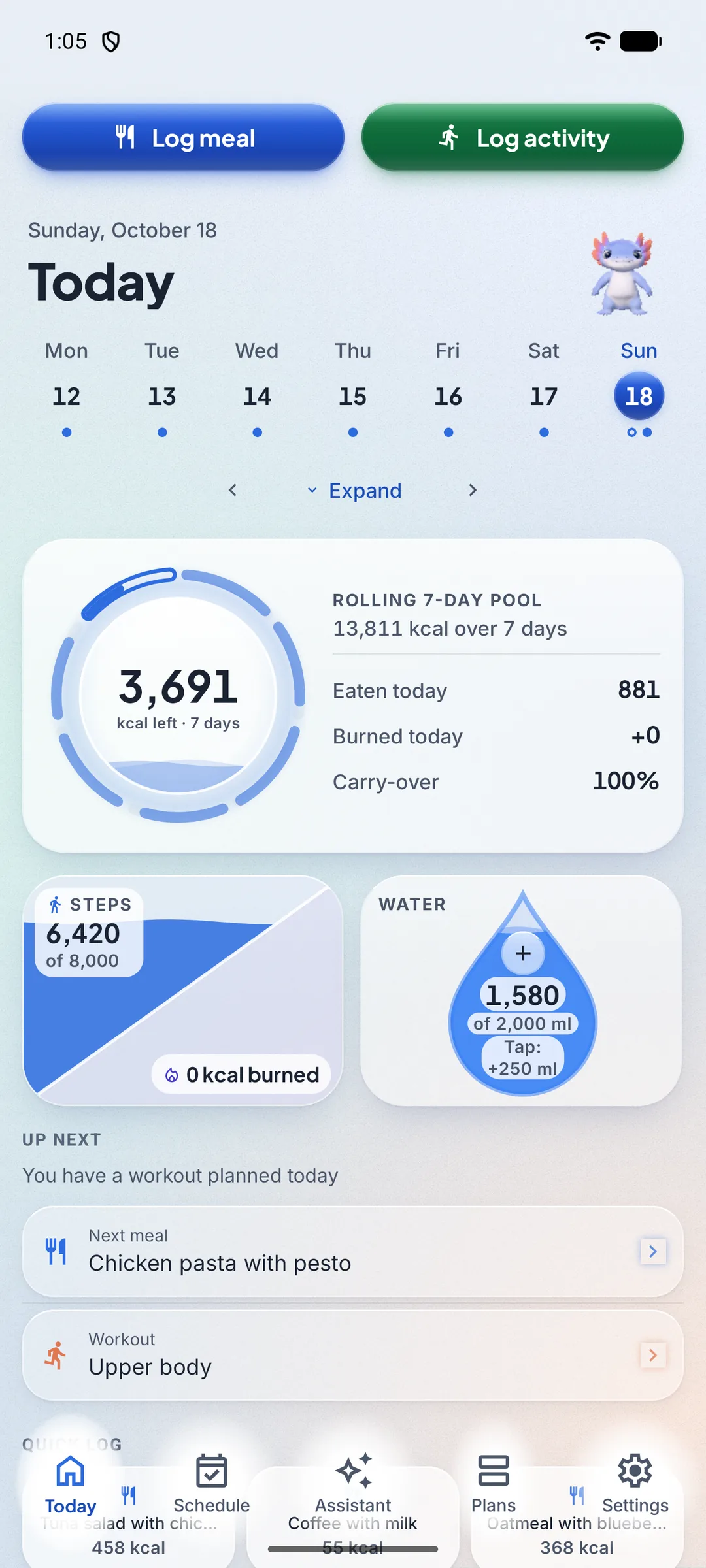
Today shows what is planned next, your calorie budget, the food you have eaten, your water, your steps and your burned calories. It also shows protein, carbs and fat.
The budget is a rolling 7-day pool. It covers the last seven days and moves forward at midnight. Rollover sets how much of the earlier days counts toward today.
Logging: food, water, weight and workouts
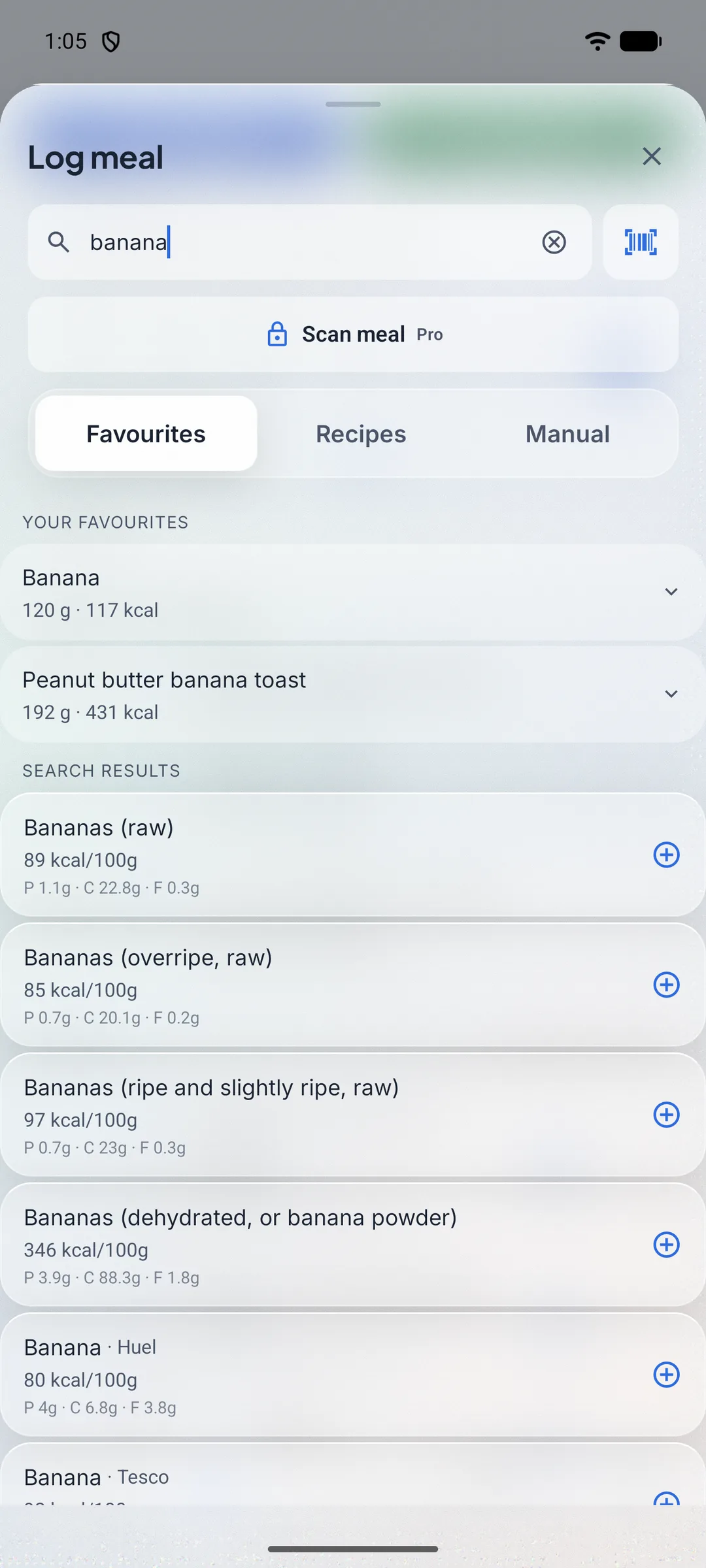
Search the food catalog that comes with the app, or scan a barcode. A food that is not in the catalog can be created on the phone, and it stays on the phone. Quick Log repeats a meal you logged before. A recipe adds up its ingredients into one meal.
Log water with one tap on the water tile, and log your weight. Body measurements are Pro.
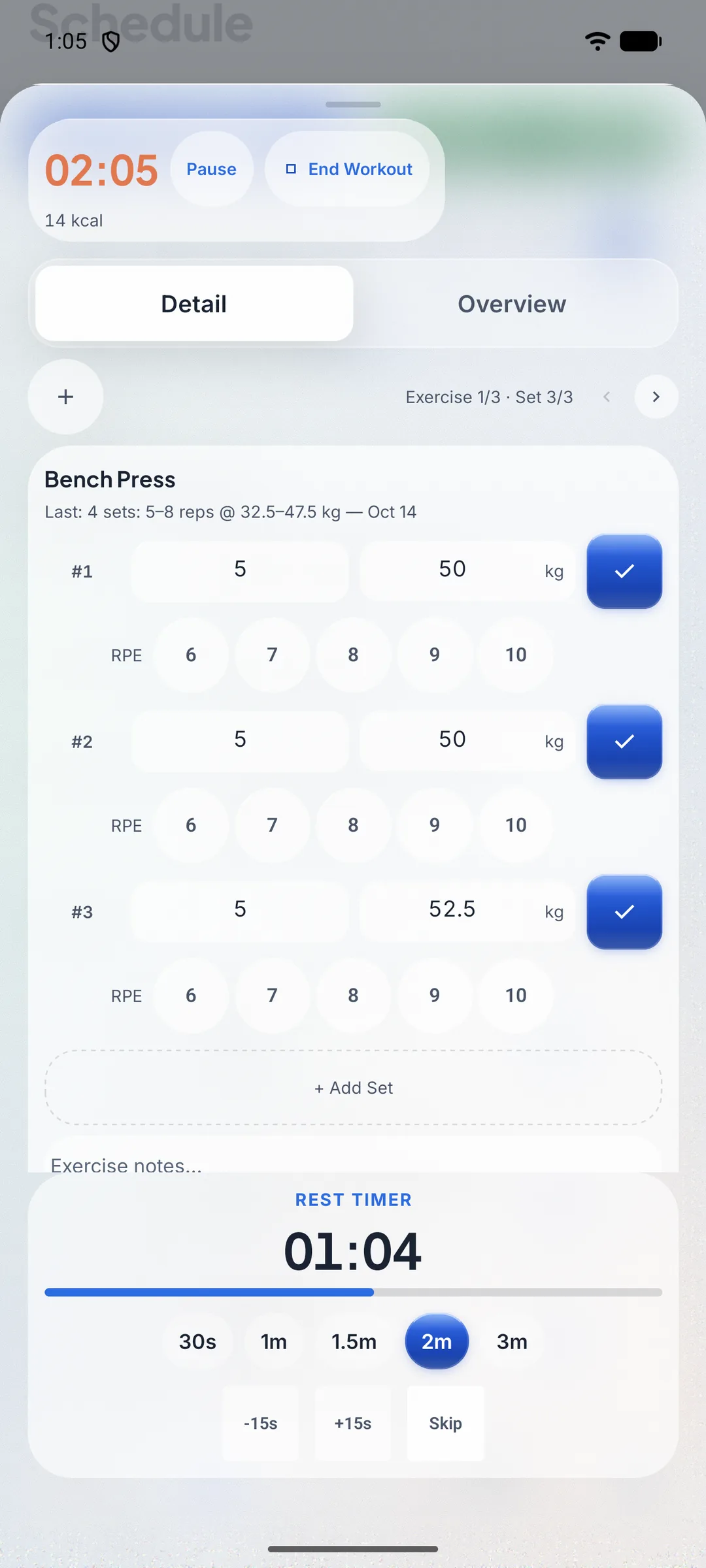
Workouts record exercises, sets and reps. The live workout tracker has a rest timer, and it shows what you did last time for each exercise.
Scan meal is Pro. It needs your own AI provider key. It reads the foods in a photo of a meal, and you check each item before you log it. The same Pro scan can also read a nutrition label, to fill in a new food.
Schedule and Plans: plan the week, then log from it
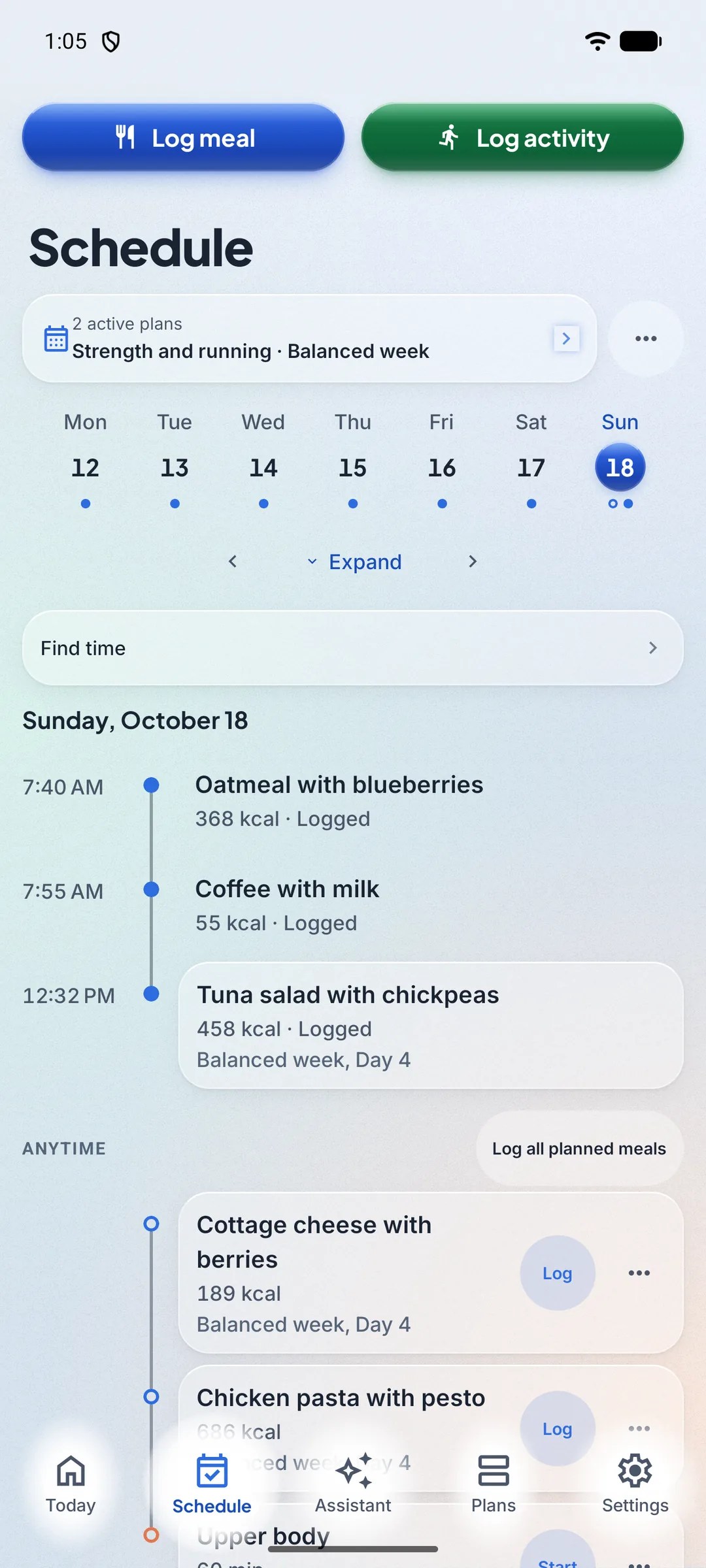
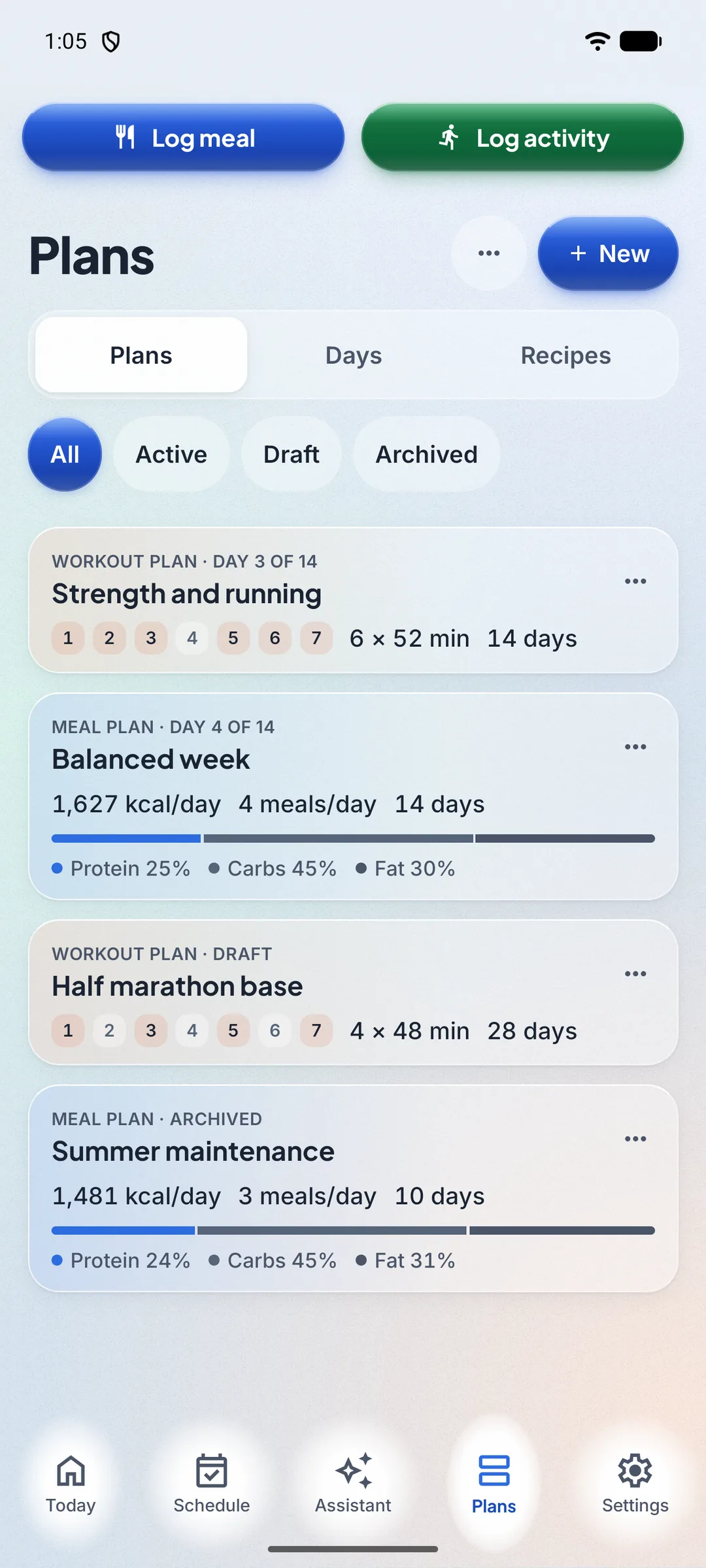
Plans put meals and workouts on your days. Apply a plan from your library to the schedule, either replacing your active plan or adding to it. Days count from the start date: Day 1, Day 2, and so on.
Confirm a planned meal to log it, or log all planned meals for a day at once. Remove a plan from the schedule, and it moves to Archived in your library, where you can apply it again.
Day templates save one day of meals or workouts for reuse.
Spike, the assistant: your own AI key
Spike is the assistant. It logs food, water, weight and workouts. It can also move a planned item, schedule a workout, set a reminder, add a food to your device and save a note. It answers questions about your log by reading it. It can also correct an entry, such as the amount of a meal or the time of a weigh-in, and delete entries you ask it to remove. Entries synced from Health Connect are not changed. Every change Spike makes can be undone in the chat.
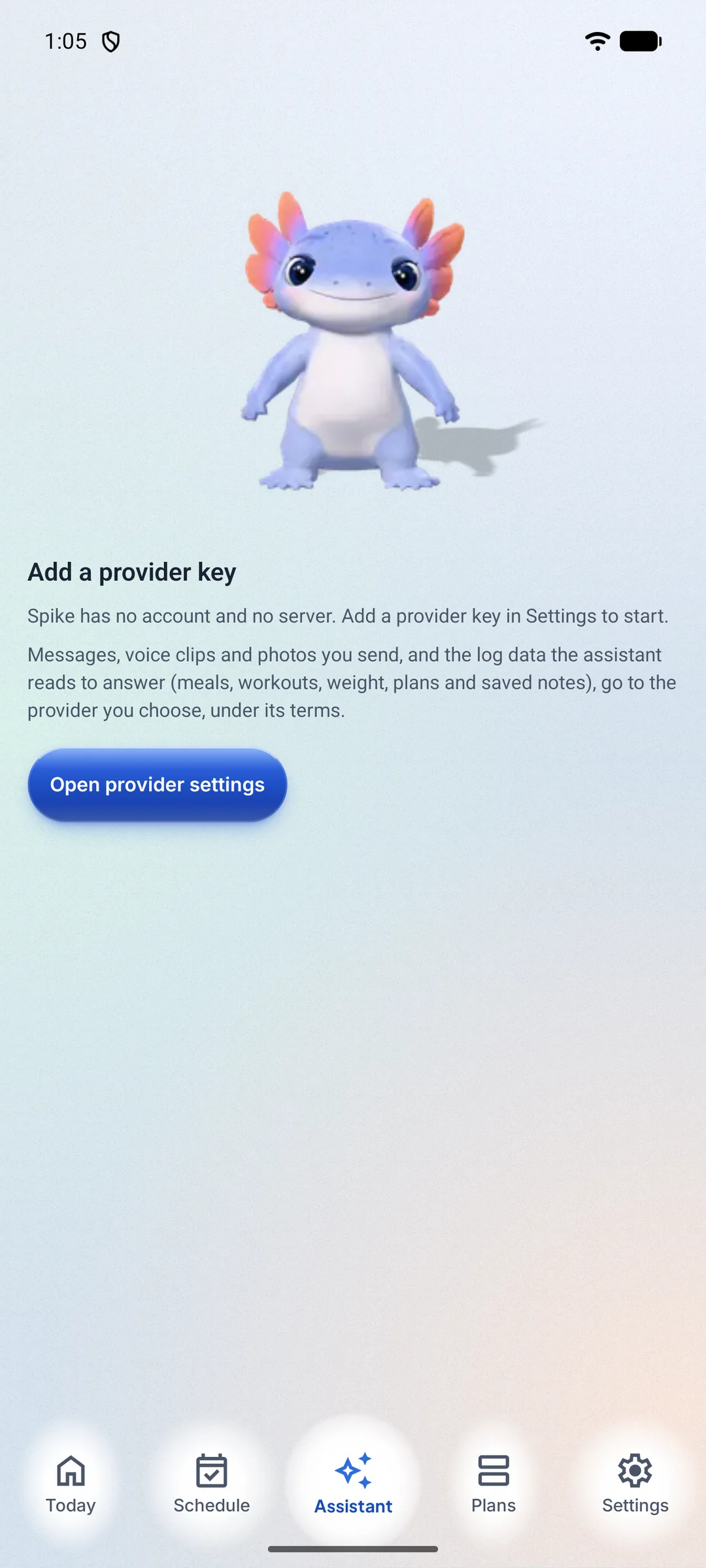
Spike is free with your own AI provider key. Add a key from a supported provider in Settings. Keys stay in the phone’s secure storage, go only to the provider they belong to, and are not part of a backup.
Voice input and images in chat are Pro. Each needs your own AI key, and the voice clip or photo goes to the provider you chose. Automations created through Spike are Pro.
You can rename the assistant in Settings, up to 24 characters. The default name is Spike. Without a key, Spike shows a setup screen, and the rest of the app works.
Approval, undo and your data with Spike
- Approval
- Changes that need your approval show a card: Allow once, Always allow or Cancel. Food, water and weight entries run without a card by default. You can ask for a card on every change, or turn confirmations off with Bypass. Unless you choose Bypass, estimates ask first, and so do automation rules that run on their own (Pro). A delete always asks, even after Always allow; only Bypass skips its card. Deleting a saved scan asks even under Bypass.
- Undo
- In the chat, Undo reverses a change. Undo after a delete brings the entry back as it was. Undo is refused if you have changed that entry since. A deleted saved scan cannot be brought back, and its card says so. To make Undo possible, the chat keeps a copy of what a delete removed, on your phone, for as long as that chat message is kept: up to 180 days.
- Your data
- Your messages, the log data Spike reads, and any photos or voice clips you send (Pro, see above) go to the provider you chose, under that provider’s terms. Traqprep runs no server in between.
- Estimates and notes
- A food that is not in the catalog is logged as an Estimate and marked as one. Spike creates a reminder only after you approve it, unless you choose Bypass. Local reminders from the assistant, which cover workout, streak and goal notes, are optional and off by default. They show fixed text and send nothing to a model.

The companion: an axolotl that reacts to your log
The companion is an animated axolotl by default. It eats when you log a meal, and it moves when you log a workout. After a large meal, it looks rounder for a few hours, on phones that can draw it in 3D.
The companion does not comment on your food, weight or progress, and it shows no messages about them.
The companion reacts to events on your phone. No background AI calls are made for it.
Insights: charts from your own log
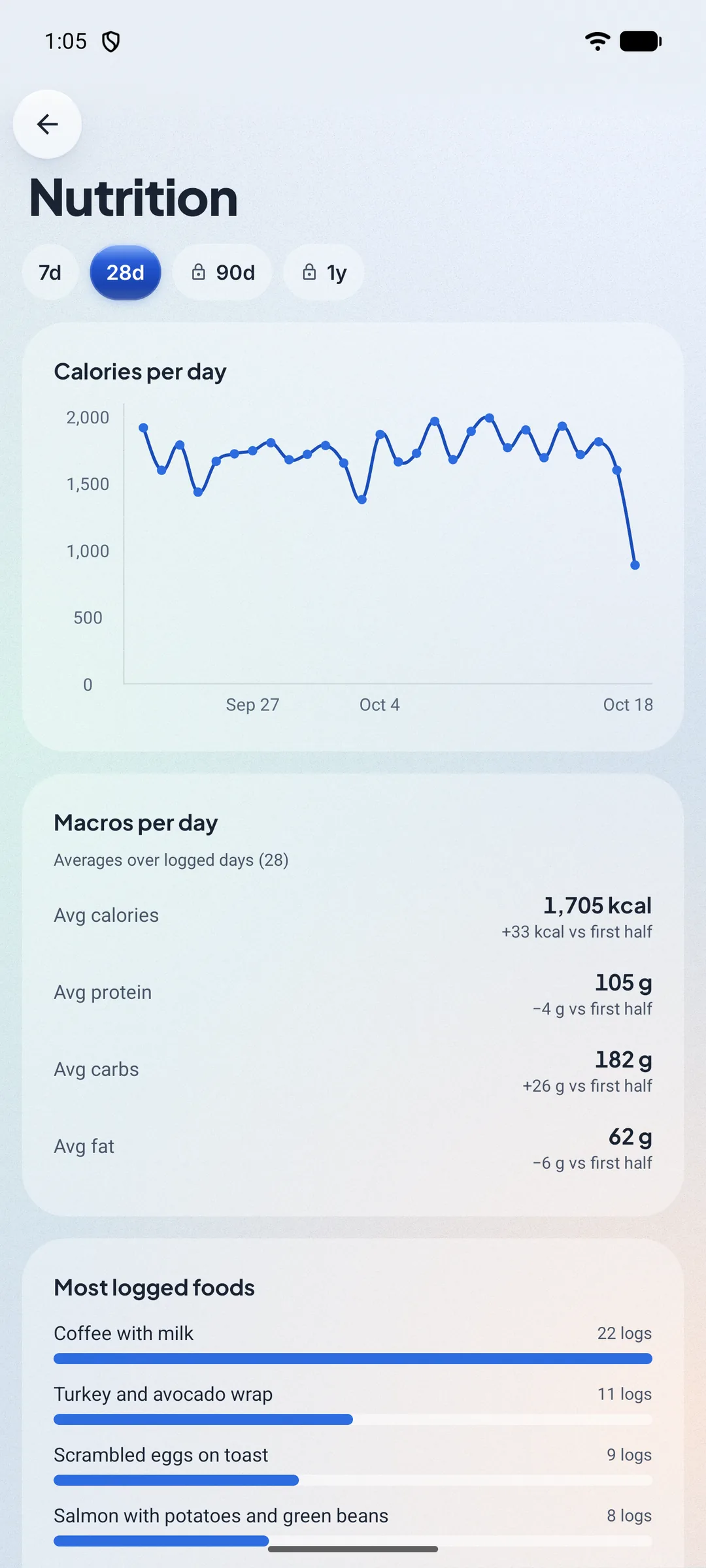
Insights charts your log. The areas include Nutrition, Training, Body, Steps and Plans. Recovery and Sleep fill in when you allow the matching Health Connect data. Nutrition shows calories per day, average macros and the most logged foods. Training shows workouts per week, training volume and your top exercises. Body shows weight with a 7-day average. Plans shows plan adherence. The 7-day and 28-day ranges are free; the 90-day and one-year ranges are part of Pro.
Free shows the last 28 days, with the top three foods and the top three exercises. Pro adds full insights history, the full food and exercise breakdowns, body tracking and adaptive calories. Adaptive calories estimate your maintenance from your intake and weight trend.
Backups: encrypted, to Google Drive or a file
A backup is encrypted on your phone before anything is uploaded. It is written to your Google Drive, or saved as a file you keep. Traqprep does not see your passphrase.
Encryption uses AES-256-GCM with a passphrase of at least 8 characters that you choose. Traqprep does not store the passphrase and cannot reset it. If you lose the passphrase, the backup cannot be read.
Connect Google Drive to write backups to the app’s own app-data folder in your Drive. Automatic backup is on by default once Drive and a passphrase are set. It runs when you open the app, at most once a day, after you enter your passphrase in that session. You can turn it off in Settings. A restore replaces everything on the phone with the backup. Backups are limited to 128 MB.
Health Connect: read-only
On Android, Traqprep can read health data from Health Connect. It reads only the data types you allow. It never writes to Health Connect and never uploads health data to us. If Google Drive backup is on, its encrypted backup includes those readings.
You choose the level in Settings, Health Sync, Data to sync:
- Basic (the default): workouts with their active calories, weight, and steps.
- Enhanced: Basic, plus sleep, distance, and floors climbed.
- Full: Enhanced, plus heart rate, resting heart rate, heart rate variability, blood oxygen, body temperature, respiratory rate, blood glucose, VO2 max, blood pressure, and body fat.
Workouts, weight and steps feed your calorie calculations. Recovery and Sleep fill in on Insights when you allow the matching data.
Ten languages
Traqprep is available in English, German, Spanish, French, Italian, Portuguese, Chinese, Japanese, Korean and Hindi. You choose the app language in Settings. Exercise names are translated into German, Spanish, French, Italian, Portuguese and Chinese. In Japanese, Korean and Hindi they stay in English, and search matches the English names.
Your data stays on your phone
- There is no Traqprep account. There is no sign-in, no email address and no user ID.
- Your logs, photos, plans and settings are kept in the app’s private storage on your phone.
- Traqprep has no server. The developer does not receive what you log.
- No analytics, no crash reporting and no advertising. The app requests no advertising permissions.
- What leaves the phone is what you send or start: AI requests to the provider you chose, a key check when you add a key, backups to your Google Drive, purchases that Google Play processes, the exports and share links you choose to send, and model files, if you download them. The model download shows your IP address to its host.
- If you uninstall without a backup, the data is gone, and we cannot recover it.
Free and Pro
Traqprep is free for everyday tracking. Pro is a one-time purchase, not a subscription. It will be sold through Google Play, and the price is shown there before you buy.
Free includes
- Logging food, water, weight and workouts
- Food search in the catalog, barcode scanning, and your own foods
- Plans: up to 3 active plans, each up to 4 weeks, and 5 day templates
- Schedule and the device calendar
- Share links, QR codes and plan files
- Encrypted backups to Google Drive or to a file
- Insights for the last 28 days
- The assistant, with your own AI provider key. The key is not included.
- The companion
Pro adds
- Unlimited active plans, plans of any length, and unlimited day templates
- Full insights history, the full food breakdown and the full exercise breakdown
- Body tracking: measurements, progress photos and body fat
- Adaptive calories
- Automations
- AI food scan, with your own AI key: photograph a meal and check each item before you log it, or photograph a nutrition label to fill in a new food. The photo goes to your provider.
- Voice input for the assistant, with your own AI key. Your voice clip goes to your provider. Not every provider offers speech-to-text.
- Images in chat, with your own AI key
- Five extra avatar colours
Everything not listed under Pro is free, including the assistant with your own key.
Built with AI
Traqprep was built with AI. The developer builds it with AI coding agents, and Pawcommit publishes it.
Questions and answers
Do I need an account?
No. There is no sign-in and no email address to create.
Does Traqprep need the internet?
No for tracking. Food search, barcode scanning and logging work offline. Backups to Google Drive and AI requests need a connection.
Where is my data stored?
On your phone, in the app’s private storage. It is not sent to the developer.
Do I need an AI key?
No. The core app works without one. The assistant is free with your own key. Voice input, images in chat and the AI food scan are Pro, and they also use your own key from a provider you choose.
Is Pro a subscription?
No. Pro is a one-time purchase, and it will be sold through Google Play.
What happens if I lose my backup passphrase?
The backups made with it cannot be read. Traqprep cannot reset the passphrase. The data on your phone is not changed.
Is Traqprep a diet app or a medical device?
No. Calorie and nutrition values are estimates. Talk to a qualified professional before you change your diet or training.
Which phones does it run on?
Android 13 or newer.